New Feature: When Your Watch Gets the Distance Wrong
Treadmills, tunnels, miscounted pool lengths: sometimes your watch gets distance wrong. Now you can fix it in obseed, and pace and stats follow along.
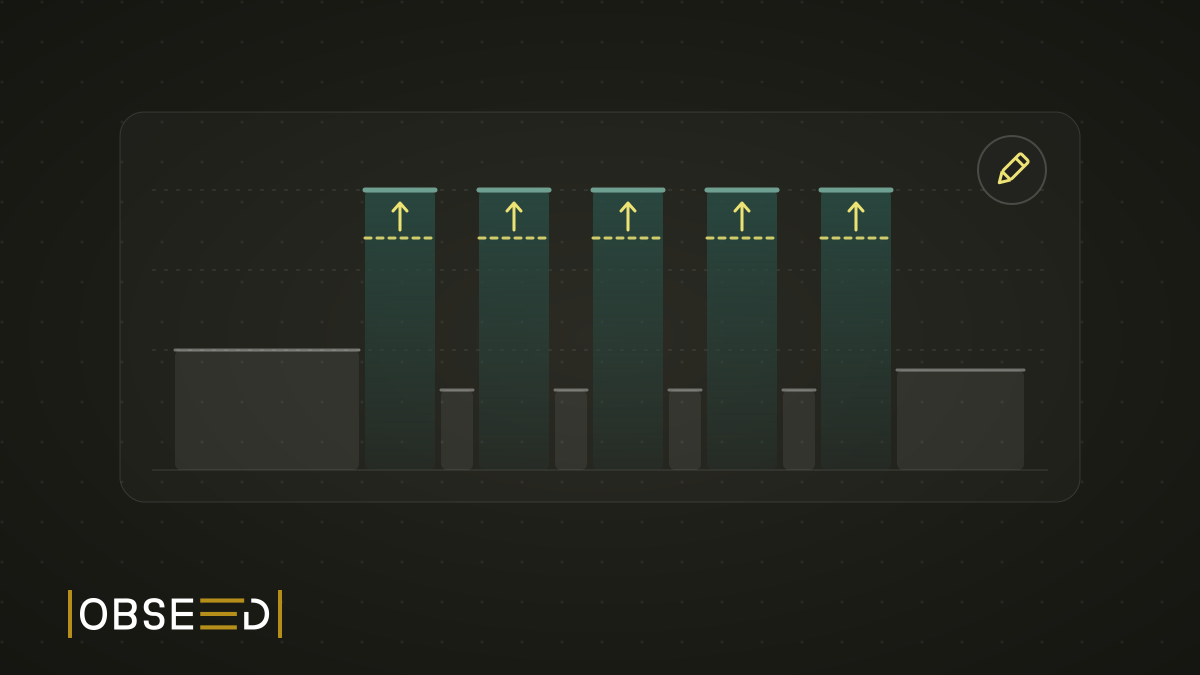
A treadmill session from our test account, 9 November: 5 × 4:00 at 13.0 km/h, with 2:00 easy in between. The speed sat right there on the display the whole time. At the end, the treadmill had counted about 8.1 km.
The Fenix 8 on the wrist said 7.83 km.
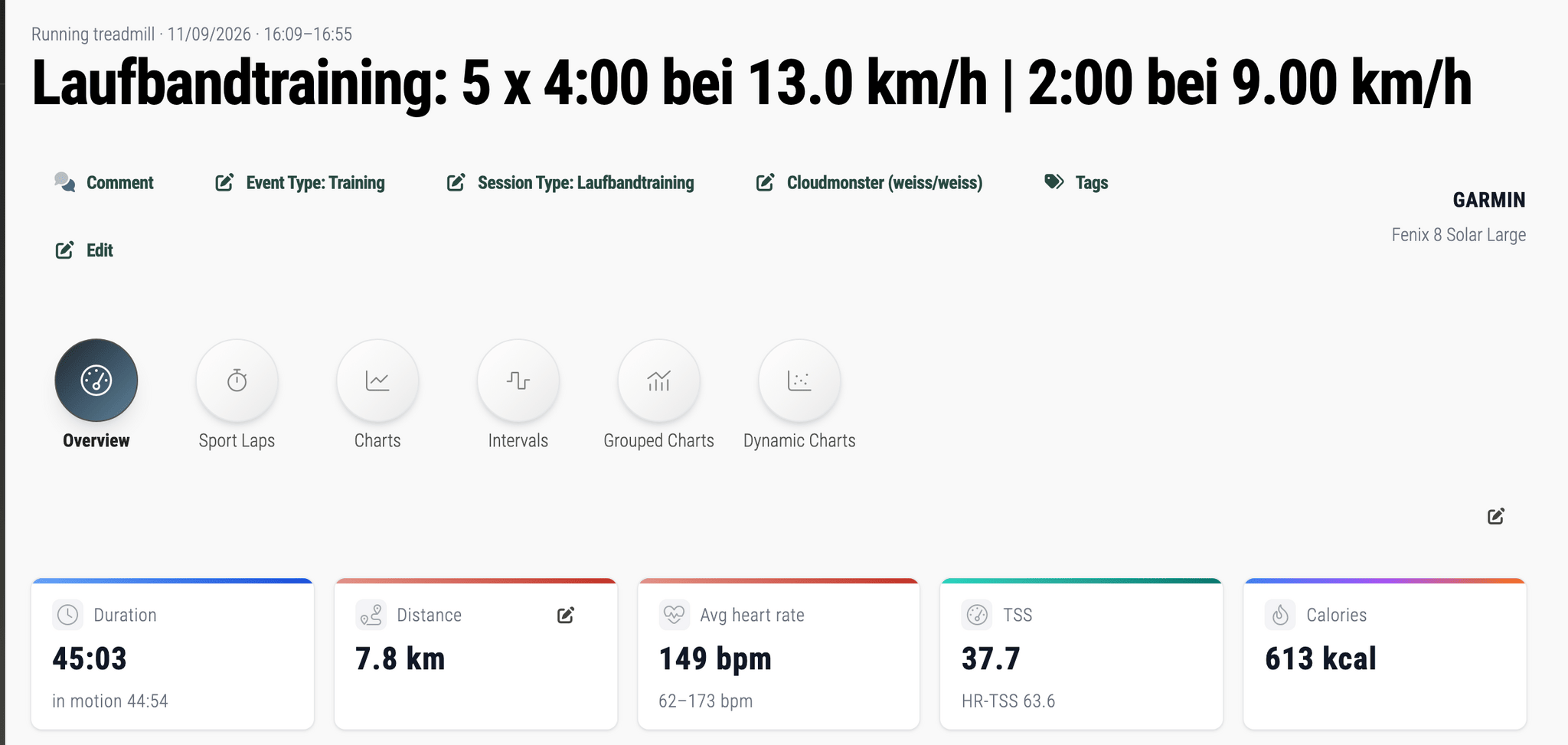
Before: 7.8 km according to the watch. The treadmill disagreed.
A good 250 metres, gone. Sounds like nothing. It isn’t.
The Watch Is Guessing
On a treadmill, the watch has no GPS to work with. You aren’t going anywhere, after all. So it estimates distance from its accelerometer: cadence, arm swing, plus a stride length it learned on earlier runs outside. Educated guesswork, with a lot of maths on top.
On our run, the watch read consistently low during the intervals. In lap 2 it measured 11.8 km/h instead of 13.0, so 5:06 min/km instead of 4:37. The other intervals landed between 4:58 and 5:08. Each one came up about 80 metres short.
Outdoors isn’t automatically better. A Swiss validation study of eight sport watches found mean absolute errors between 3.2 and 6.1% across all its test areas (Gilgen-Ammann et al., 2020). In the city and in the forest, the watches mostly came up short. Then there are the classics: a tunnel, a start before the GPS fix, the street canyon where your track suddenly cuts through three buildings. And in the pool, one miscounted length is enough.
Garmin does offer a treadmill calibration, by the way: after the run, you type the distance from the treadmill display into the watch, separately for every treadmill (Garmin). But that only works on the watch, at the moment you save. Miss it, or notice the problem at home, and until now you were out of luck.
Errors Travel in Packs
If it were only the distance, you could shrug it off. But distance is the foundation for almost everything obseed derives from a session.
Distance gives you pace. Pace gives you speed zones and training load. Many sessions give you weekly volume, records and comparisons. An interval session measured too slow lands in the wrong zone, drags down the weekly average and never shows up in a comparison the way it was actually run.
Which means a correction can’t just overwrite the number in one tile. It has to arrive everywhere.
The Whole Session, or Lap by Lap
There is now a small pencil next to the distance in obseed. It opens “Correct distance and pace”.
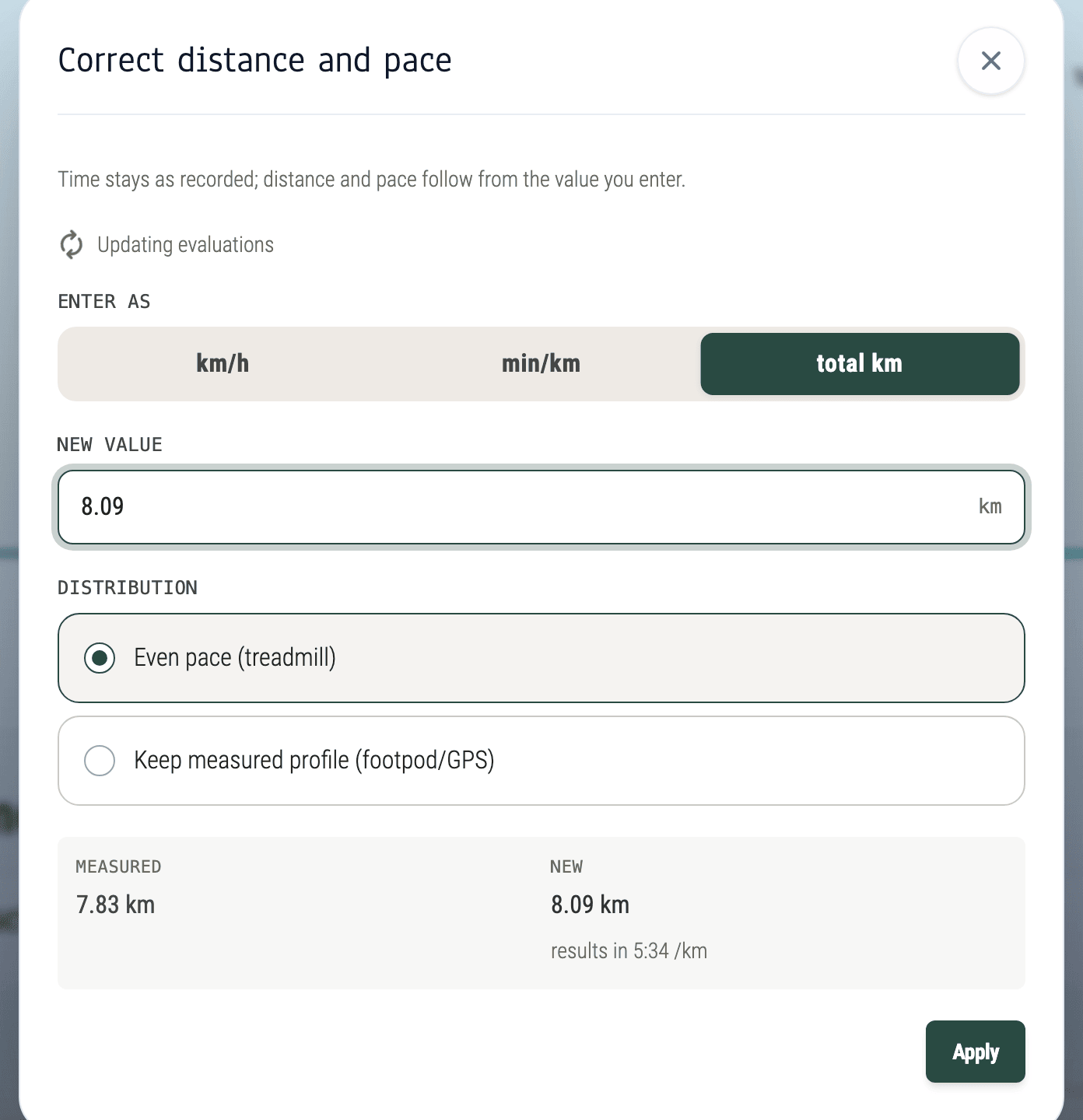
Time stays as recorded. Distance and pace follow from the value you enter.
You enter whatever you happen to know: a speed, a pace or the total distance. The more interesting question is how the extra metres get distributed. “Even pace” suits the treadmill, where the watch was only guessing anyway. “Keep measured profile” suits a footpod or GPS: the shape of the curve is right, only the scale is off, so it simply gets stretched.
For this run, the total distance would still have been the wrong tool. An even pace across 45 minutes would have made the warm-up as fast as the intervals. That would have thrown the baby out with the bathwater.
The more precise option is what we actually know: all five intervals ran at exactly 13.0 km/h. So you correct the laps, not the session.
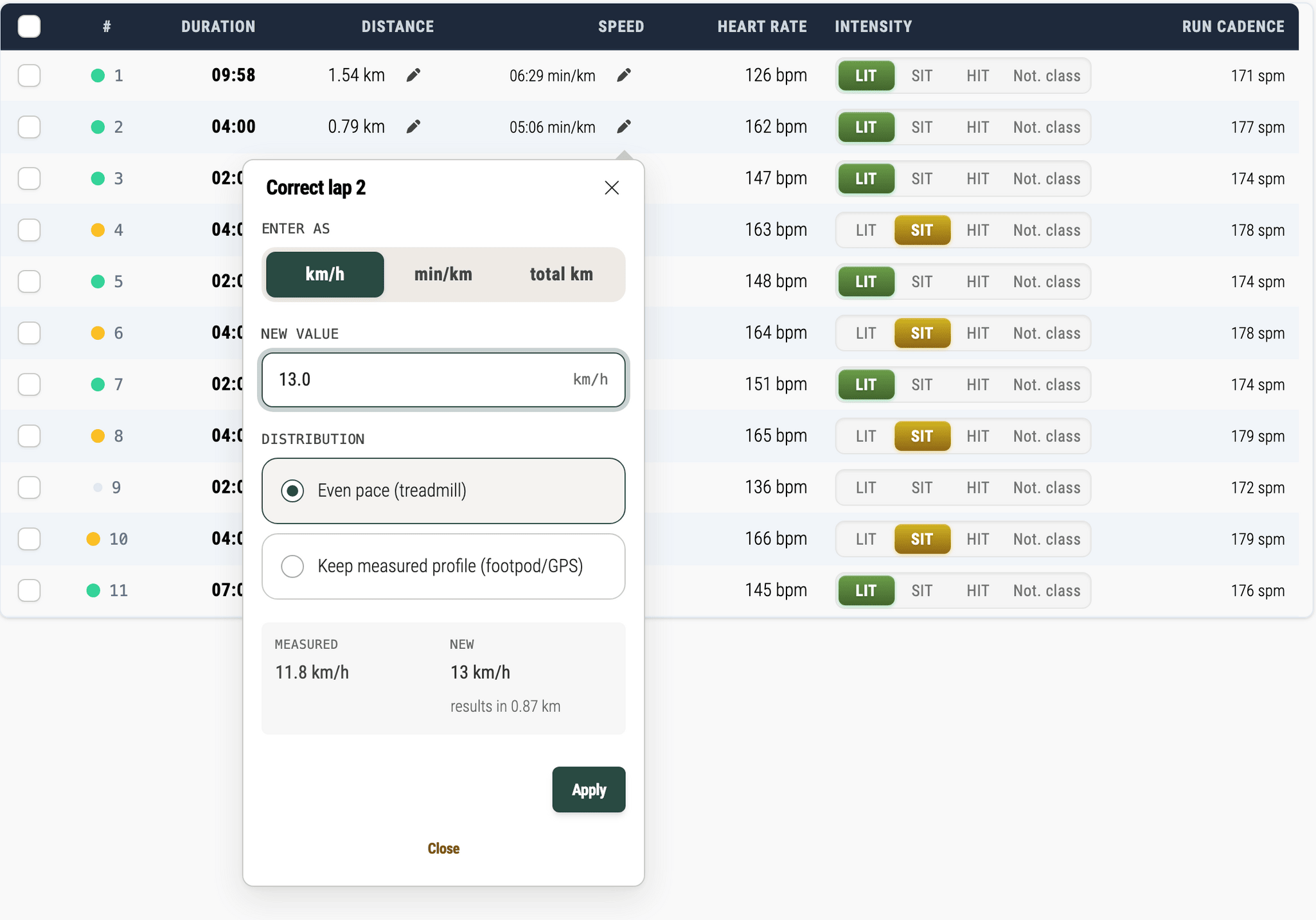
Lap 2: measured 11.8 km/h, actually 13.0 km/h. 0.79 km becomes 0.87 km.
For one lap, that’s a popover. For four more, it would get tedious. So you can also tick several laps and set them together.
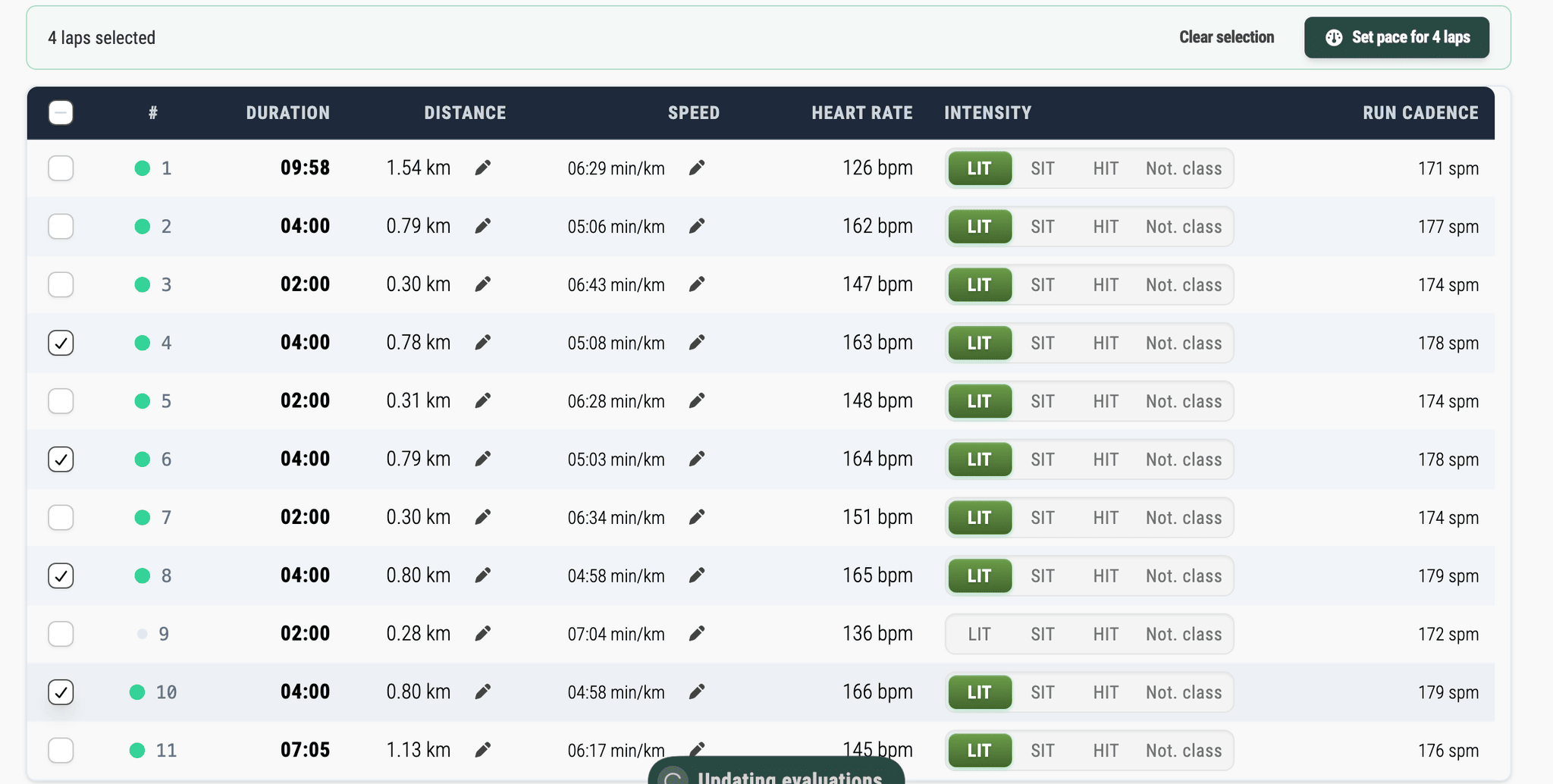
Four intervals in one go: tick them, “Set pace for 4 laps”.
Changed your mind? “Reset to measured” puts a lap back to its original value.
A Typo Is Not a World Record
While testing, we deliberately typed 25 km/h into a recovery lap. obseed asked first.
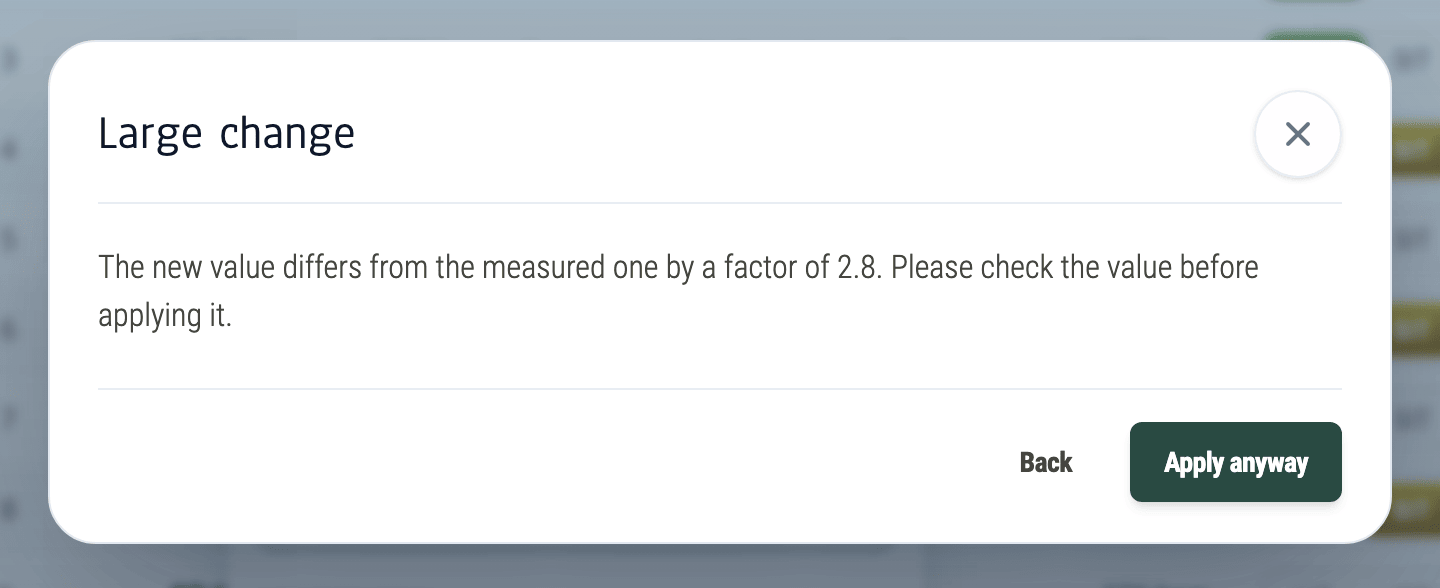
When the new value is far from the measured one, obseed would rather ask once too often.
25 km/h for two minutes would be a personal best that seeps into every statistic. One click on “Back” and it’s gone before it does any damage.
The Original Stays Visible
Once applied, every corrected value carries a small blue check mark. Hover over it and you see what the watch originally measured.
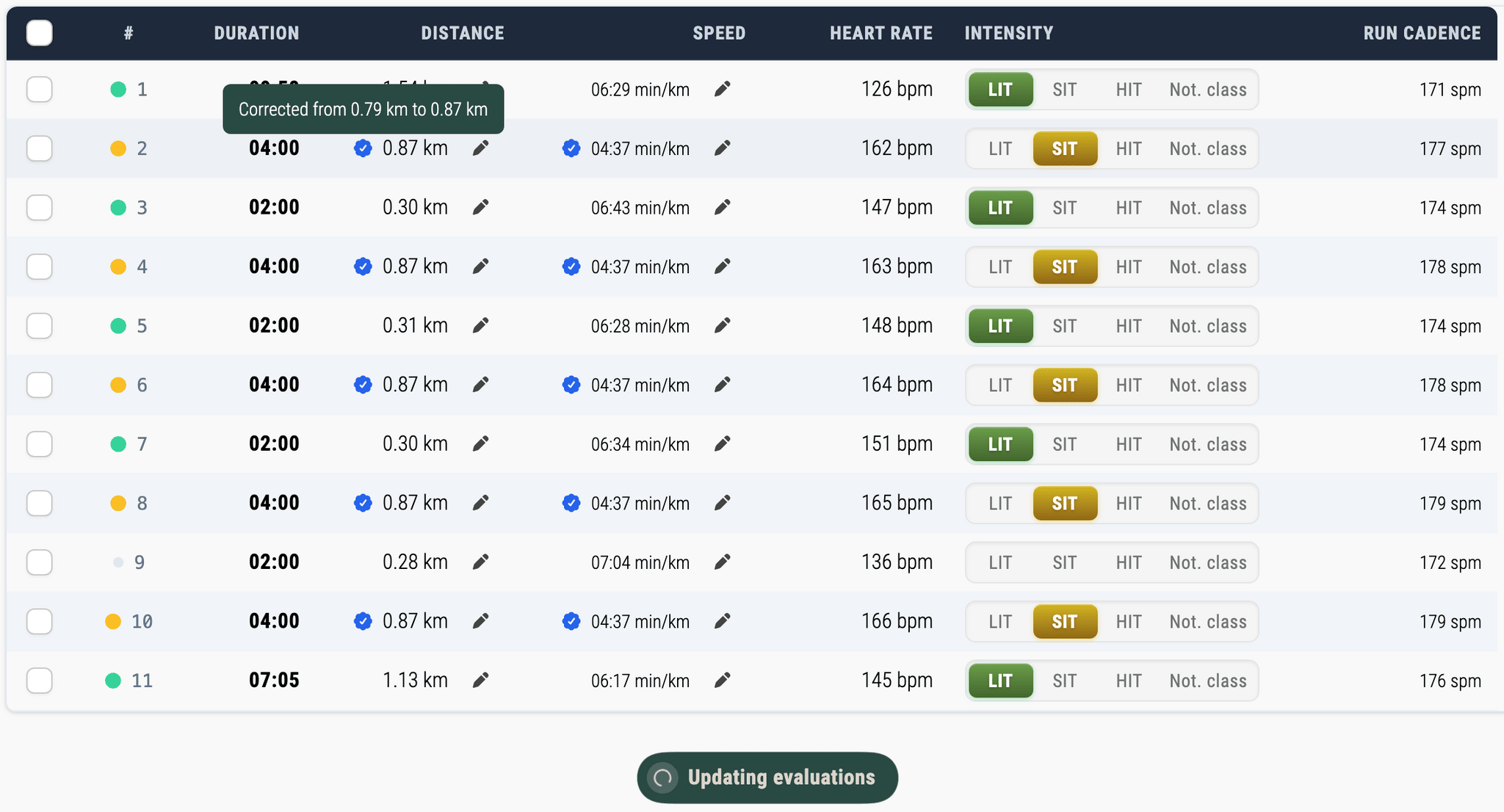
Five intervals at 4:37 min/km. The recalculation is already running at the bottom.
The recalculation (“Updating evaluations”) runs in the background, because a changed distance affects more than a single session. Until it’s done, obseed marks charts that still use the old values, and you can refresh them right away if you like.
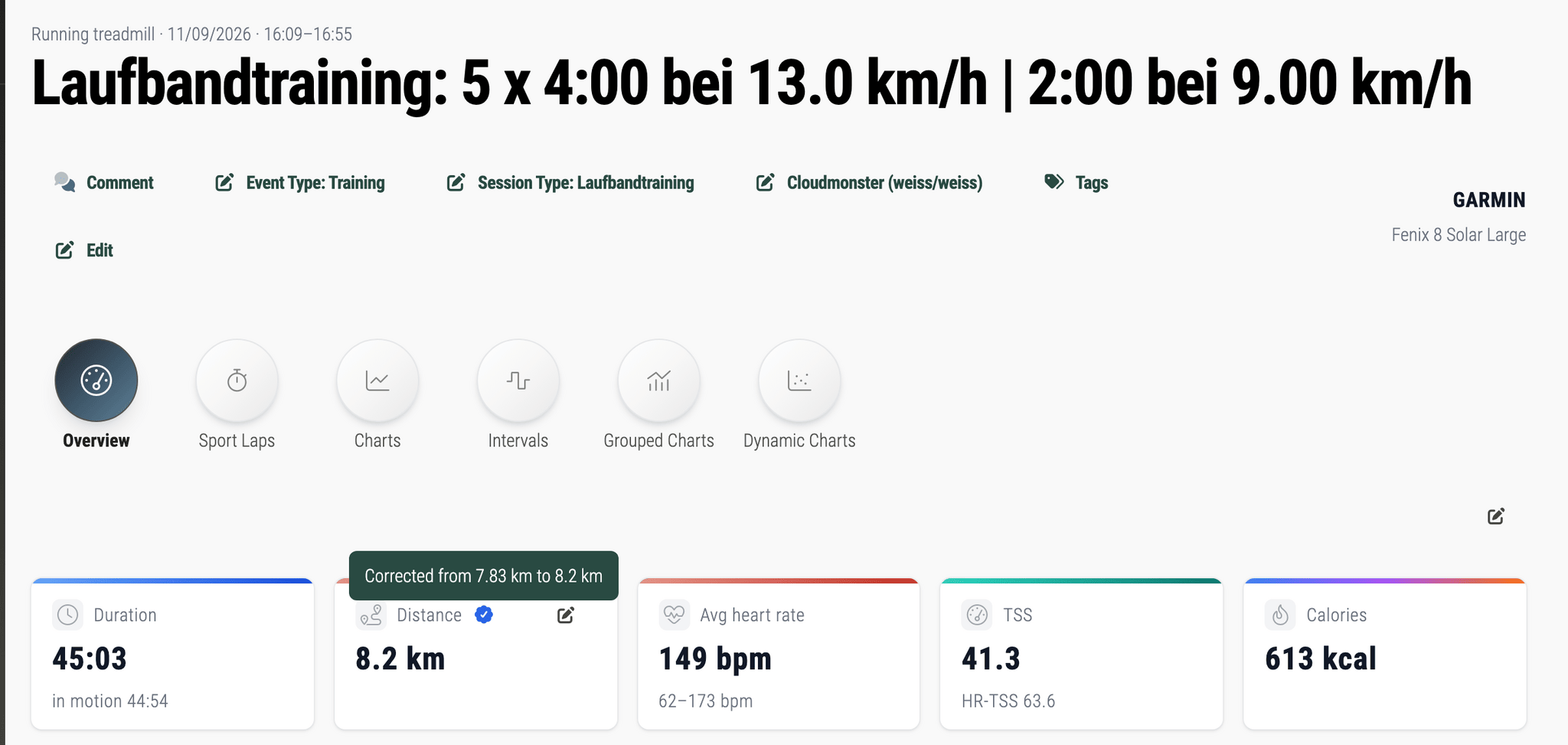
After: 8.2 km, and the TSS goes up too. The watch’s 7.83 km aren’t lost.
With the corrected intervals, the session comes to 8.2 km. The treadmill had shown about 8.1 km. So who’s right?
Honestly, we can’t say to the metre. A treadmill isn’t a calibrated measuring device, and we left the warm-up and cool-down exactly as the watch measured them. But 8.2 km with clean 4:37s in the intervals describes this run far better than 7.83 km with intervals around 5:00. And because the original measurement is kept, anyone can check.
One Number, Everywhere
The corrected distance doesn’t just live on this one page. Records, speed zones, route matching, comparisons and weekly summaries all use the new value. In the weekly stats, the treadmill session now counts as 8.2 km instead of 7.83 km.
Swimming works the same way. Missed a length? Correct the distance, and the swim pace in the key figures carries the correction icon afterwards.
You see the same values in the iOS app, through the API, in the obseed chat and in AI assistants connected to obseed. Ask your assistant for the interval pace of that last treadmill session and you get the corrected 4:37, not the measured 5:06.
And a re-import from the provider doesn’t overwrite the correction. If Garmin delivers the session again for whatever reason, your distance stays your distance.
If you’re still wondering which of your devices to believe in the first place, that problem has its own post: when devices disagree. For distance, at least, you no longer have to live with it.
The pencil is right next to the distance. Happy correcting!
Sources
- Accuracy of Distance Recordings in Eight Positioning-Enabled Sport Watches: Instrument Validation Study – JMIR mHealth and uHealth, 2020
- Calibrating the Treadmill Distance – Garmin
Read Next

New Feature: The Mountain That Never Happened
My watch went for a swim in a fountain and invented about 100 metres of climbing. obseed now corrects errors like this automatically, even in old sessions.


Your Nervous System, Decoded: HRV Analytics in obseed
60+ HRV metrics across 9 physiological categories from your wearable: Poincaré, DFA alpha-1, multiscale entropy, personal baseline, and 15-page reports.
New Feature: Ask Claude About Your Training
I ask Claude and ChatGPT about my sleep, HRV and training. Now they also log tags and session details, once I confirm in obseed.