New Feature: Ask Claude About Your Training
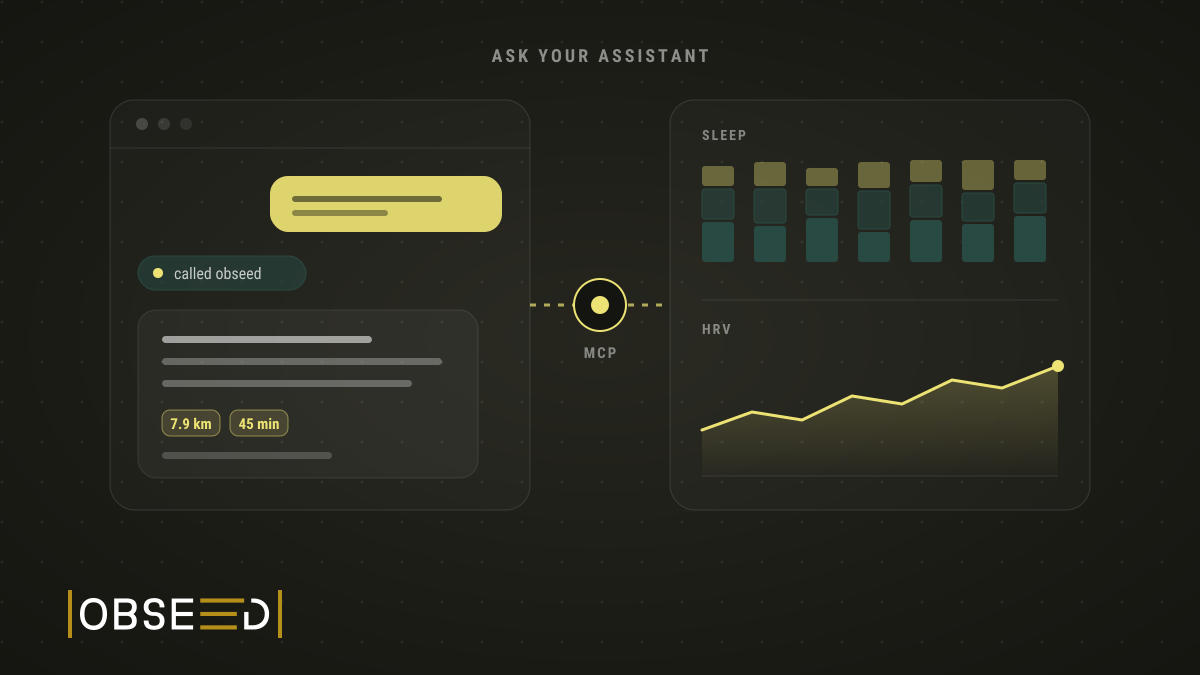
I ask Claude and ChatGPT about my sleep, HRV and training. Now they also log tags and session details, once I confirm in obseed.

The question was lazy. All lowercase, no question mark, typed into a terminal: wann habe ich das letzte mal sport gemacht. German for “when did I last do sport”.
Claude Code did not guess. It called obseed, looked at my workouts and answered.
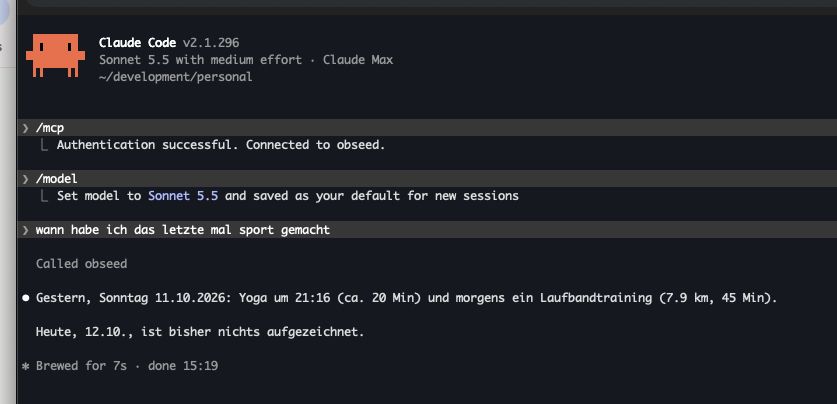
The session is in German. The answer reads: “Yesterday, Sunday 11 October 2026: yoga at 21:16 (about 20 min) and a treadmill session in the morning (7.9 km, 45 min). Today, 12 October, nothing has been recorded so far.”
No guessing. Just my own data, read back to me.
Now the Other Direction
Reading is half of it. It gets more interesting when I simply tell it how training went. After an interval run, for example, I type:
“Add this to today’s run: I had stomach pain at km 3 and 4, short stabbing jolts. It eased off after that and I could keep running without any trouble. I fuelled during the breaks between the 15 hard intervals.”
Claude finds today’s run and proposes saving the text as a note on exactly that session. Nothing is saved yet. I open the proposal in obseed, see the text exactly as it will be stored, and tap Confirm. Done. The note sits with the run, and three weeks from now I’ll still know why km 3 felt so rough.
Tags are even quicker. “Tag last night: sauna, two beers” is one sentence in the chat and one tap in obseed. No menu, no hunting for the right tag.
That is the new feature. obseed now speaks MCP, the Model Context Protocol, which is the open standard Claude, ChatGPT and a growing list of other assistants use to talk to outside tools. Connect obseed once and your assistant can read your sleep, HRV, resting heart rate, body composition, workouts, summaries, insights and tags whenever a question needs them. And it can log tags and add details to your workouts: notes, label, perceived exertion, how you felt and motivation. Every time only with your OK.
One URL, Then a Sign-In
The whole setup is a URL: https://app.obseed.me/mcp.
There are no API keys. Keys tend to get pasted into some settings field and forgotten there for years. Instead, your assistant registers itself with obseed, sends you to our sign-in page, and only gets a token after you approve. The token is bound to the obseed endpoint, so it is useless anywhere else.
Per client it looks like this:
- Claude (web, Desktop and mobile): Settings → Connectors → Add custom connector, paste the URL, Connect, sign in to obseed and approve.
- Claude Code: run
claude mcp add --transport http obseed https://app.obseed.me/mcp, then/mcp→ Authenticate. That is exactly what you see at the top of the screenshot. - ChatGPT: you need a paid plan with developer mode. Settings → Apps & Connectors → Advanced → Developer mode, then Create connector, name it “obseed”, paste the URL, choose OAuth and approve.
Other MCP clients that support OAuth can connect too. We’ve tested Claude and ChatGPT ourselves.
Copyable commands and the full list of what the assistant can read and log are on the AI assistants feature page.
Your Health Data Is Not a Plugin Setting
Connecting an assistant is the easy part. The harder question is what it must never be able to do.
Health data is the most personal data we hold. The moment it lands in a chat with Claude or ChatGPT, it’s processed by that provider under its own terms. obseed has no say over what happens there. Pretending otherwise would be dishonest, so the consent screen says it plainly. It shows the client’s name and the host your data goes to, and you have to tick this box before anything happens:
I understand that my health data will be transmitted to <client> (<host>) and processed by that provider under its own terms.
No tick, no data.
Everything around that box follows the same idea:
- Nothing without your OK. The assistant never writes directly. It proposes, and nothing is saved until you confirm in obseed. What you confirm is exactly what gets saved, free text word for word. The assistant cannot delete anything.
- Only you. Every tool works with the account that approved the connection. There is no way to ask for someone else’s data.
- Clear logs. We log every call: which tool, for whom, through which client, with which inputs (such as the date range or the proposed entry), with what outcome and how long it took. The health data obseed returns never ends up in the log. Logs are deleted after 180 days, and with your account in any case.
- Text stays text. Workout names, tag notes and other free text get handed over marked as untrusted data. A workout titled “ignore all previous instructions” is just a strangely named workout.
And if you change your mind, open Settings → AI assistants in obseed. Every connected client is listed there. Disconnect one and its tokens are revoked.
The legal side (consent, legal basis, the provider as a separate controller) is in our privacy policy.
Next Up: More Tools
Reading, tagging, adding details to workouts: this is the start. More tools are on the way, and every one that logs something follows the same rule.
Your assistant can be as eager as it likes. Nothing is saved until you confirm it in obseed.
You still hold the pen.
Sources
- Model Context Protocol Specification – Model Context Protocol, 2026
- Get started with custom connectors using remote MCP – Claude Help Center
Read Next
New Feature: The Mountain That Never Happened
My watch went for a swim in a fountain and invented about 100 metres of climbing. obseed now corrects errors like this automatically, even in old sessions.

New Feature: Not How Hot It Was, But When
obseed now breaks your session into five-minute slices and shows the temperature curve instead of a single average, with a heat load reading per slice.
New Feature: Log the Fuel Behind Every Session
Attach real sport-nutrition products to each session and capture the exact carbs, sodium, caffeine, and calories you took in, next to what you burned.